Every sale from the counter, QR orders and food court is counted automatically. Open your reports any time to see revenue, best sellers, busy hours and expenses — for today, this week, this month or the whole year.
Sample data for illustration.
Most owners only find out at month-end. Marilah shows you while there is still time to act.
Counting cash and writing sales in a notebook every night.
Not sure which dishes really sell, so stock is guessed.
Too many staff when quiet, not enough at lunch rush.
Receipts for groceries and salary scattered everywhere.
Ranked by quantity sold and revenue, so you know what to keep in stock and what to promote.
See sales hour by hour. Plan staff shifts and prep around your real rush hours.
Tap any slice to see its amount. The same view works for category sales, order type and channel.
+19.7%
Compare months side by side, including how each dish performed against last month.
Record daily spending in seconds and download a PDF expense report in English, Bahasa Melayu, 简体中文 or 繁體中文.
Download your sales as a CSV file that opens in Excel — ready for your partner, your accountant or your own records.
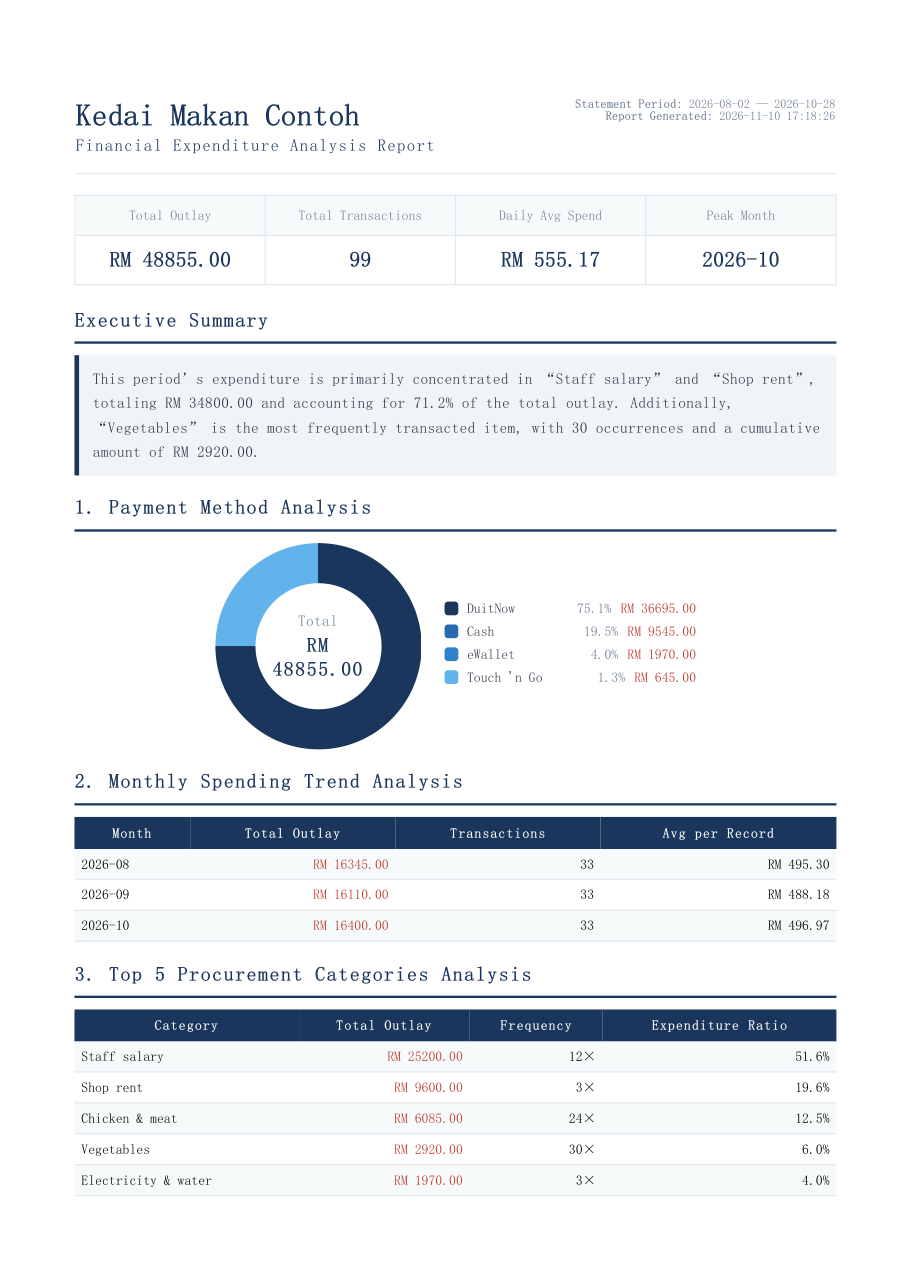
This is exactly what you get when you download an expense report from Marilah — summary, payment breakdown, monthly trend and top spending items. Pick a language to preview.
Sample shop and figures are made up for illustration. Sales reports are downloaded as CSV; expense reports as PDF.
Page 1 of 5
One tap and AI reads the figures your reports already calculated, explains what changed compared with the previous period, and suggests actions you can try now.
Open the back office on any phone or laptop and see today's sales, even when you are not at the shop.
Counter, QR and food court orders are added the moment they are paid. Offline sales sync once you are back online.
Cashier and chef accounts cannot open reports. Only you decide who sees the numbers.
Start selling with Marilah POS today and your reports build themselves from the first order.