FOOD COURT SOLUTION

Food Court Solution

One Food Court. One System. Every Stall Connected.

Marilah Food Court Mode is specially designed for food courts, allowing the entire food court to run on one system while each stall manages its own menu, orders and sales data independently.

Book a Demo
  • Scan to Order
  • Shared Cart
  • Auto Split Orders
  • Real-Time Status
foodcourt.marilah.com
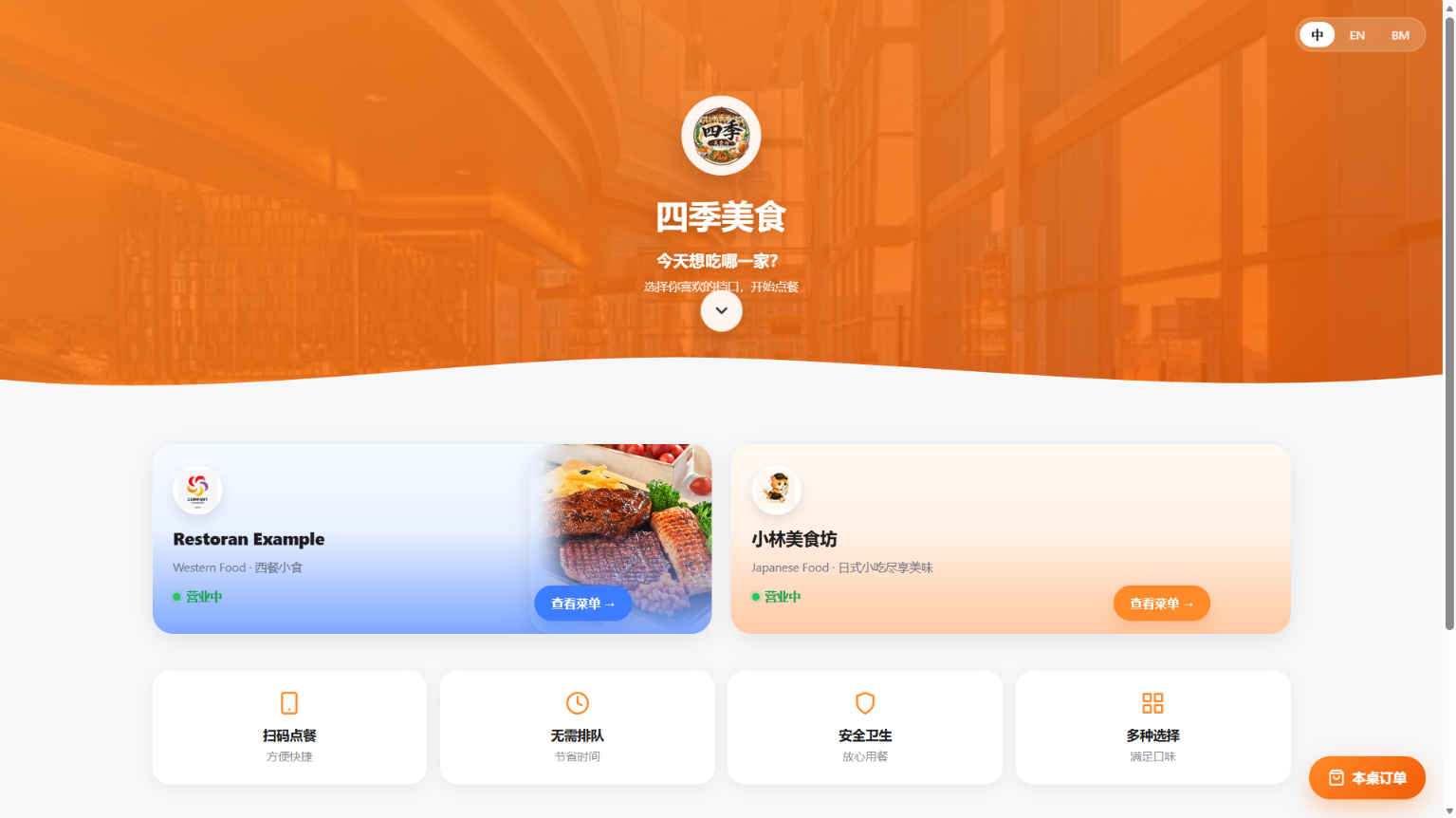
Food Court management dashboard on a laptop
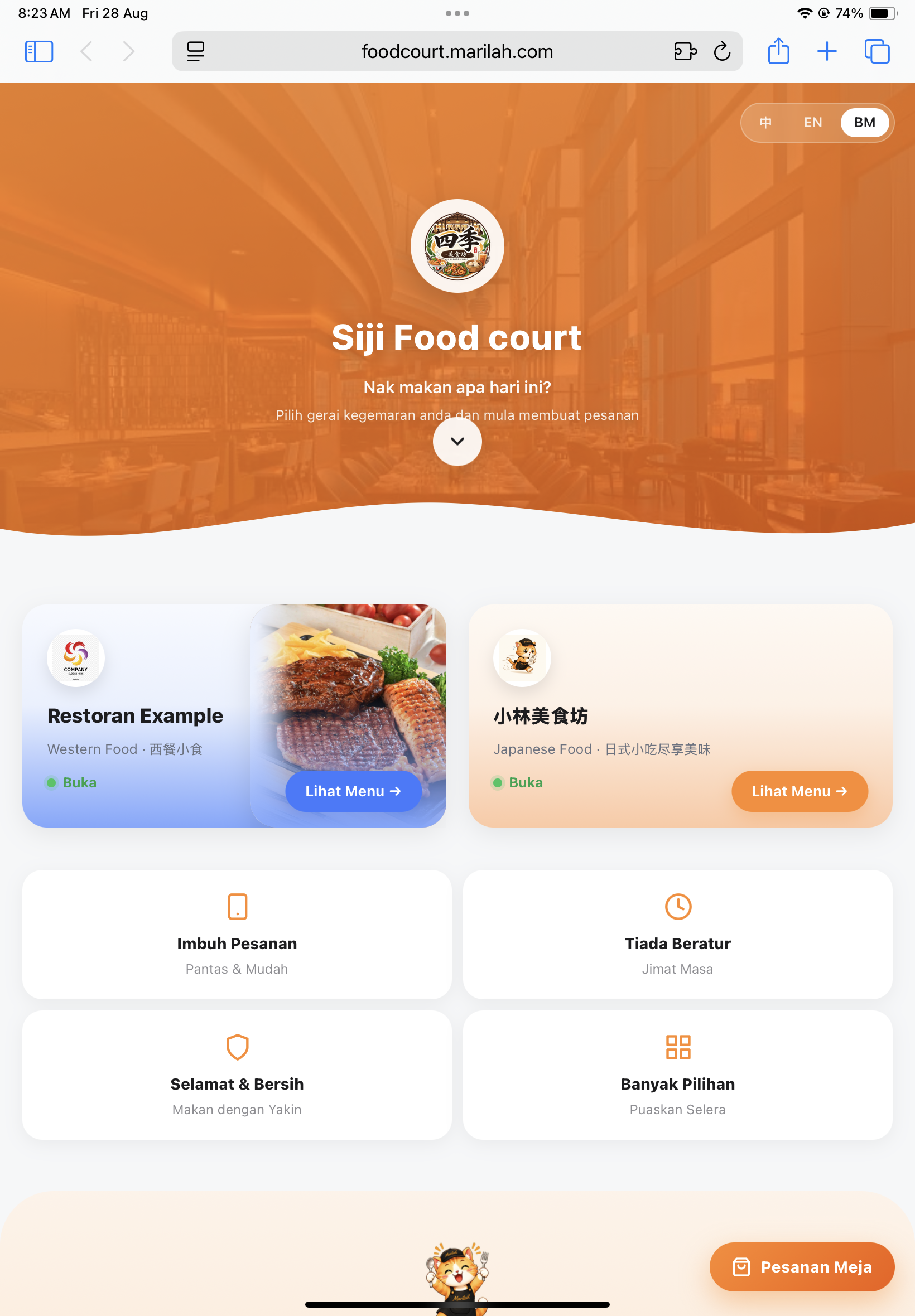
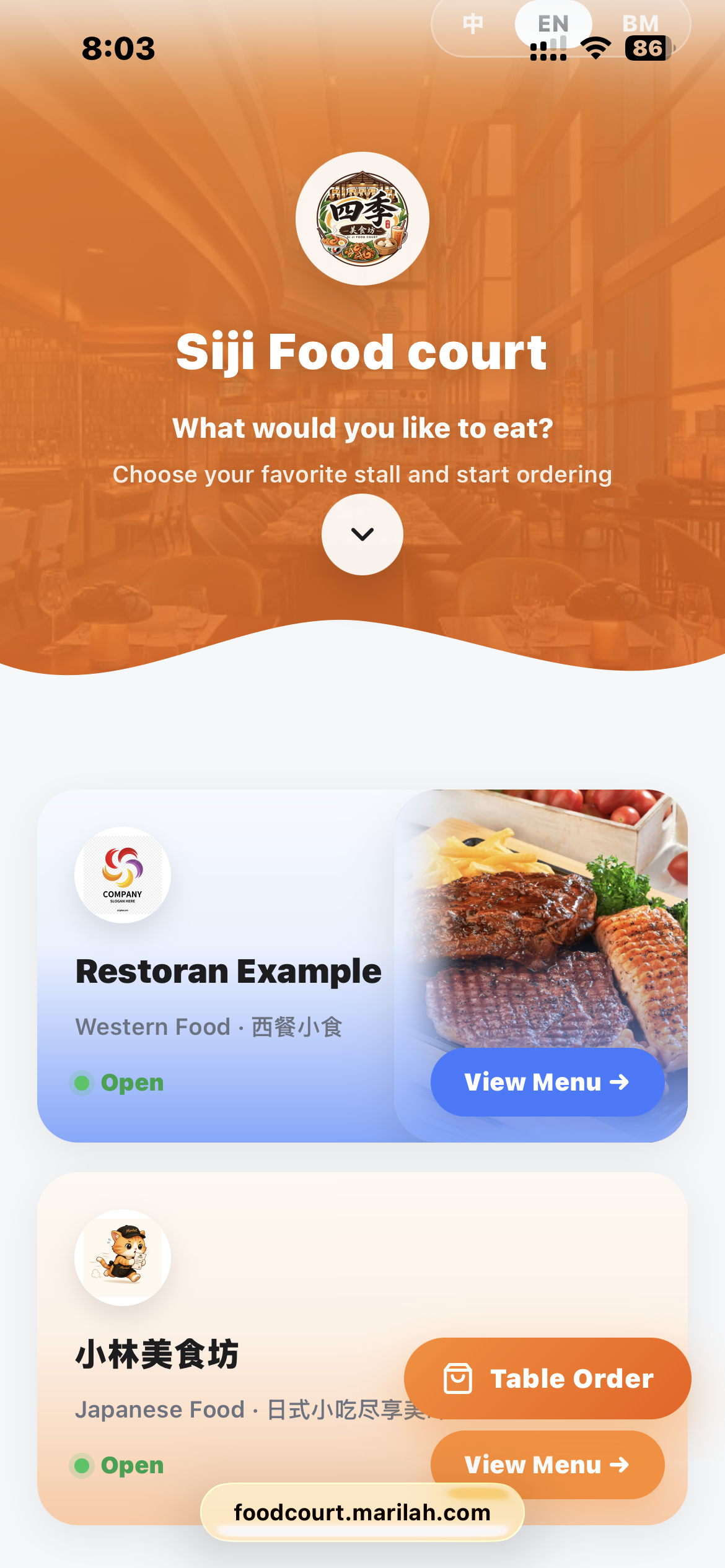
Food Court home page
Scan to order QR code

How It Works — Simple 4-Step Ordering

From one QR Code to multiple stalls — everything works together.

01

Enter the Food Court

Customers scan one QR Code to enter the Food Court and browse available stalls and recommended food.

Scan to order QR code
02

Choose Food from Different Stalls

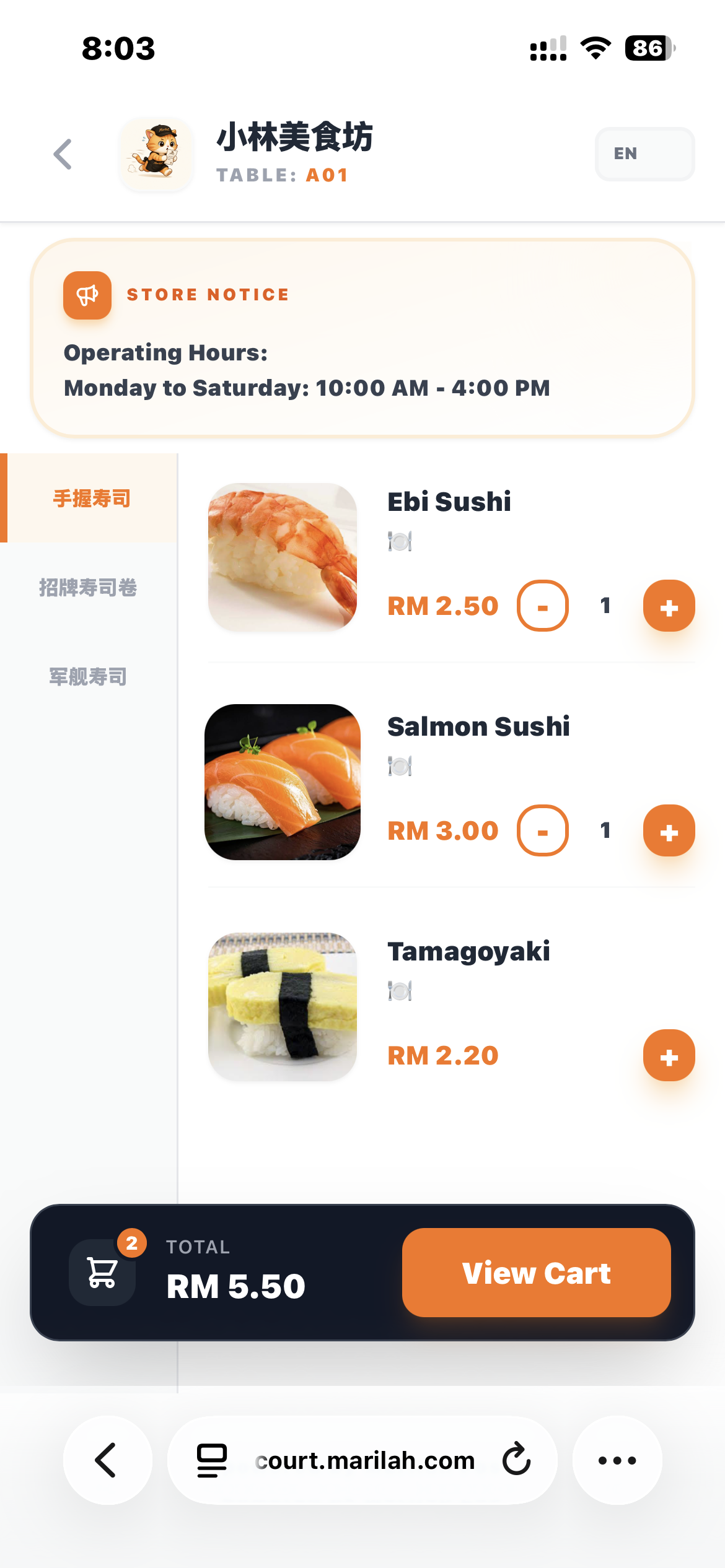
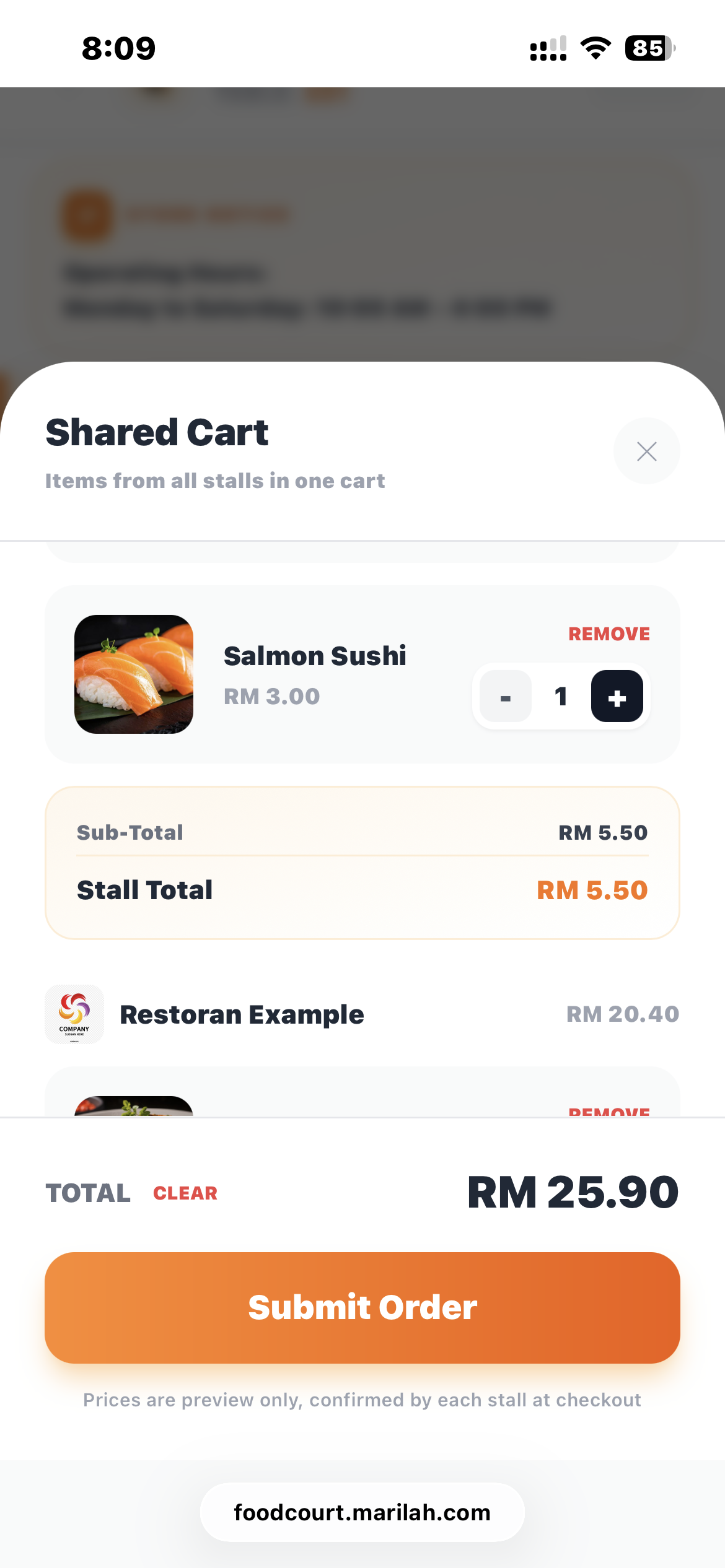
Customers can choose food from one stall and add it to a shared cart. They can return to the Food Court and continue ordering from other stalls using the same cart.

Choose food from a stall
Shared cart with items from multiple stalls
03

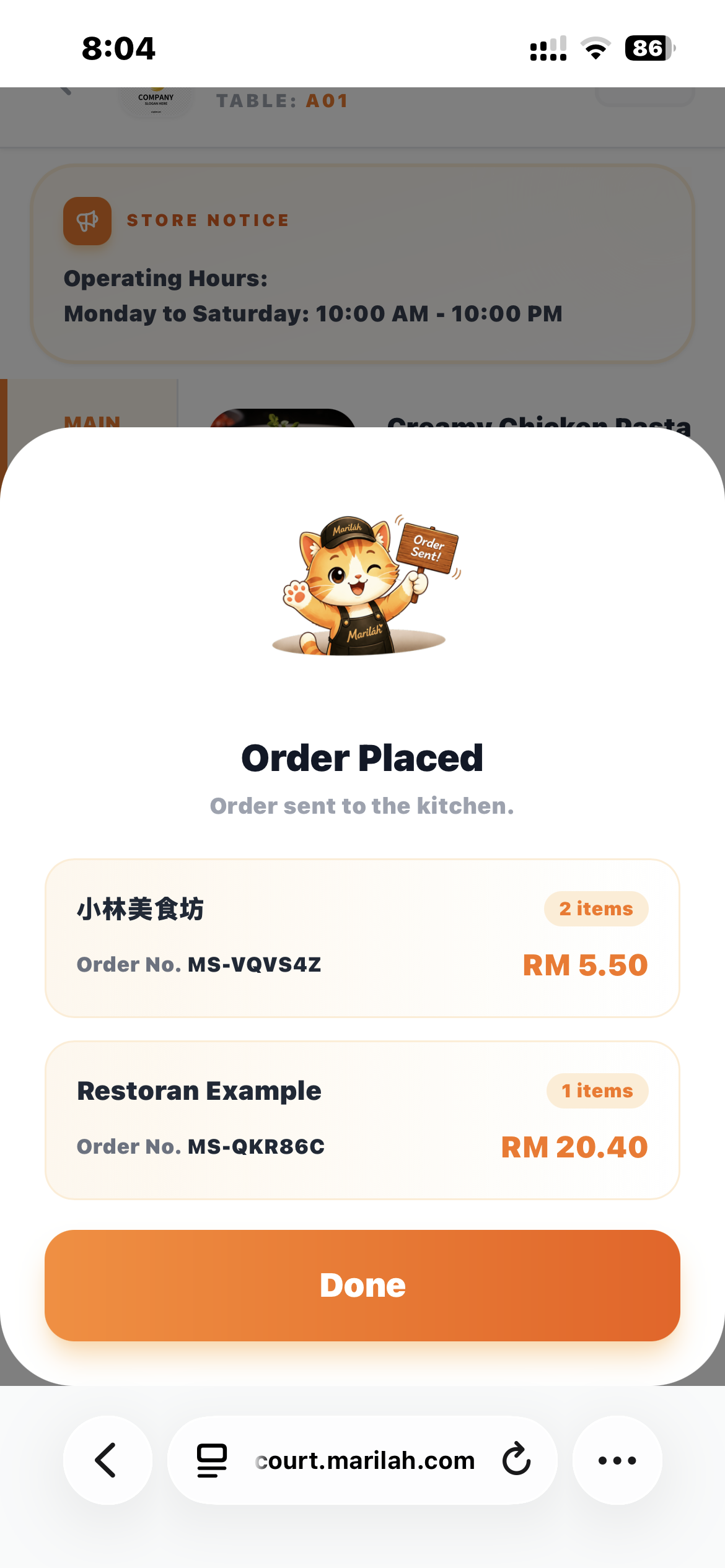
Order Confirmed. Orders Are Automatically Split.

Once the customer places the order, Marilah automatically splits the order and sends each item to the correct stall.

Order confirmed screen
Customer Order Marilah System
Stall A Stall B Stall C
04

Track Your Orders

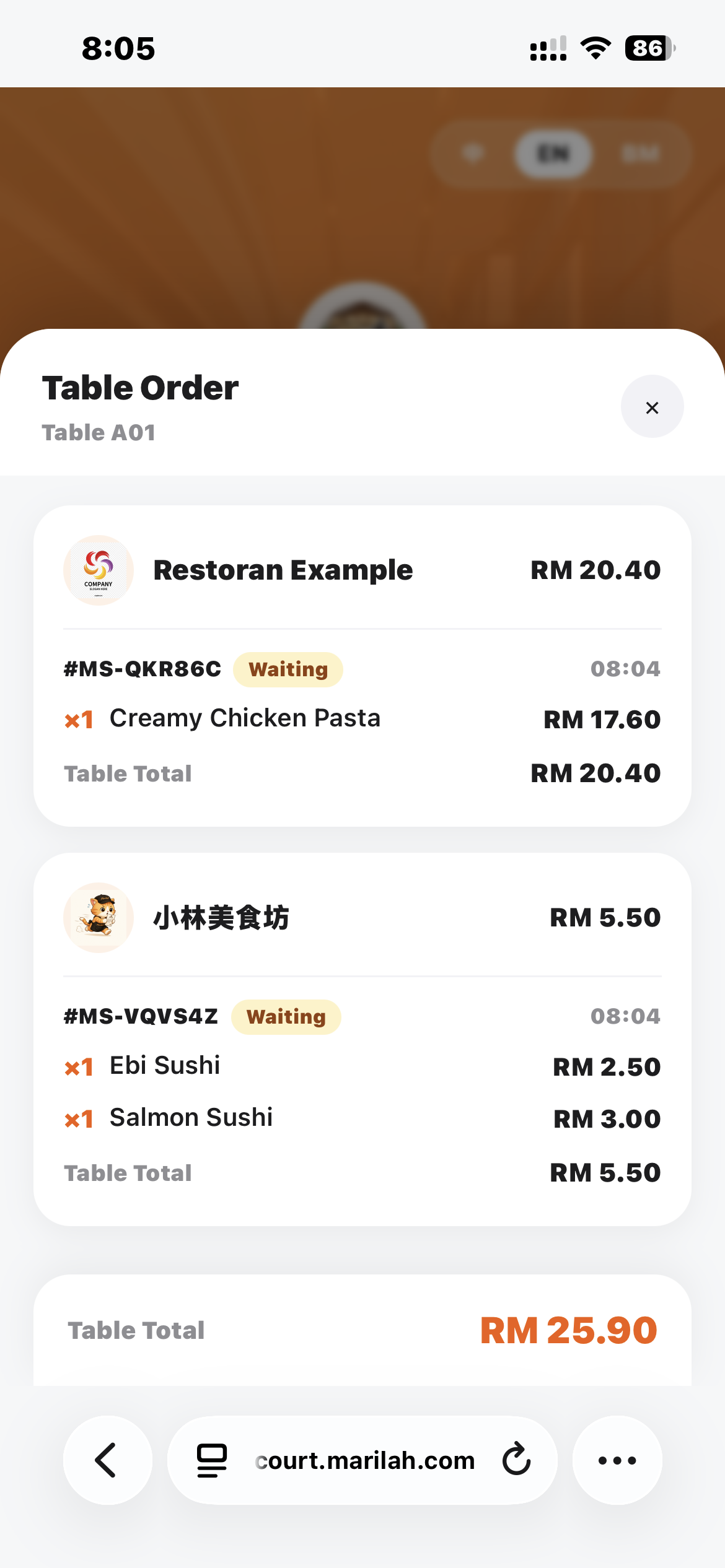
Customers can return to the Food Court interface and view the status of orders from different stalls in real time.

Food Court order status page
Preparing Ready Completed

Why Marilah Food Court Mode

Everything a food court needs — built in.

01

One Food Court, One System

Manage your entire food court from one system.

02

Independent Stalls

Each stall has its own menu, orders and sales data.

03

Shared Cart

Customers can order from multiple stalls in one cart.

04

Automatic Order Splitting

Orders are automatically sent to the correct stalls.

05

Real-Time Order Status

Customers can track order progress from different stalls.

Built for Food Courts.

Multiple stalls. One system. Better efficiency.

Book a Demo